

IPB

Welcome Guest ( Log In | Register )

 Forum Rules Forum Rules
5 Pages V   1 2 3 > »   
Reply to this topicStart new topic
> 21 st Century Weaponmod ( 21CW ), A weapon addon for UFO Afterlight
TYR
post Feb 14 2007, 08:30 AM
Post #1


Member
**

Group: Members
Posts: 92
Joined: 20-November 05
Member No.: 1888


The 21CW Mod has the intention to add new weapons and equipment to the game. The basic idea is that our martian friends recieve some additional goodies with the package from earth. This package will include several of the most advanced weapons to add some more diversity to the weapon arsenal.

The original thread can be found here , i will constantly update it as soon as there are further news, feel free to post comments and suggestions here.

If you would like to participate i would apreciate help with modeling/skinning, and editing textfiles. If you have suggestions concerning balancing or things you would like to have feel free to post laugh.gif

UPDATE 23 Feb Version 1.0 download


The current version adds the following items to the game:

Type95 Assaultrifle
M950 Automatic Pistol
IWS2000
Jackhammer Shotgun

The following changes where made:

ancient Colt, ancient Pistol and ancient Rifle become producable once
you researched basic firearms. Same rule applys to Type95 and M950.


--------------------
Go to the top of the page
 
+Quote Post
TYR
post Feb 14 2007, 10:01 AM
Post #2


Member
**

Group: Members
Posts: 92
Joined: 20-November 05
Member No.: 1888


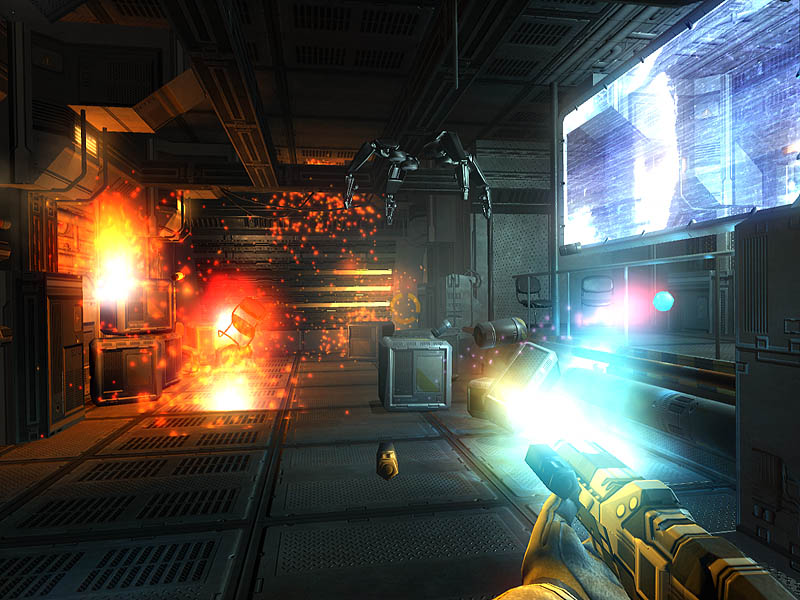
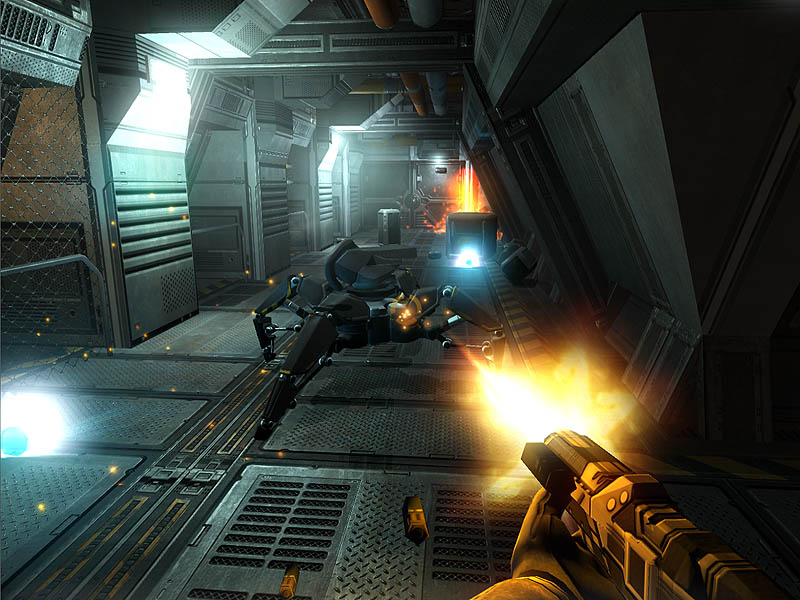
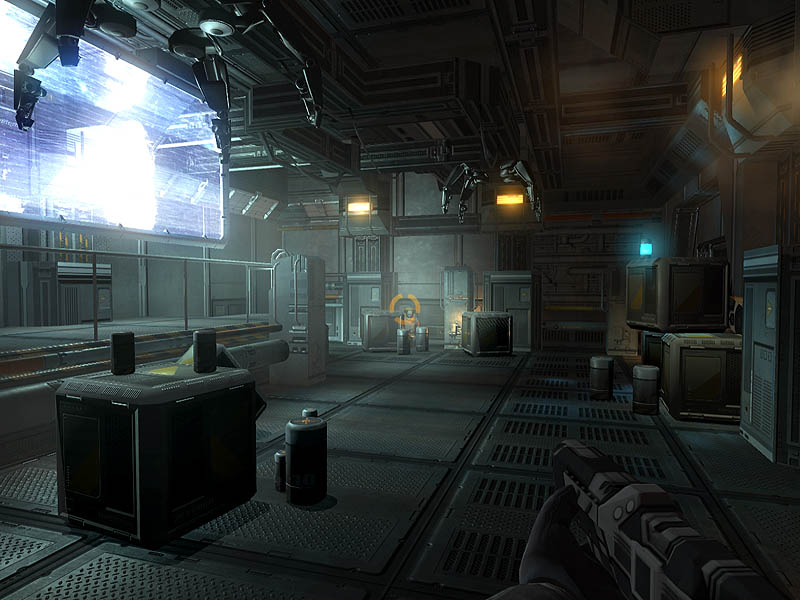
Here are some ingame screenshots just to show what im talking about rolleyes.gif


--------------------
Go to the top of the page
 
+Quote Post
Slaughter
post Feb 14 2007, 06:13 PM
Post #3


High Member
****

Group: Admin
Posts: 1527
Joined: 7-April 04
From: Norway
Member No.: 4


Looking very sweet TYR! smile.gif When do you expect to release the first version?


--------------------
Greetings from Olav (Staff at StrategyCore.co.uk, Slaughter)
Go to the top of the page
 
+Quote Post
TYR
post Feb 14 2007, 08:12 PM
Post #4


Member
**

Group: Members
Posts: 92
Joined: 20-November 05
Member No.: 1888


QUOTE (Slaughter @ Feb 14 2007, 07:13 PM) *
Looking very sweet TYR! smile.gif When do you expect to release the first version?

Slowly with the horses, i currently investigate how the files are connected to each other and what i need to edit and add tongue.gif Once im done with that i need to figure out if its possible to edit the "earthpackage" and if not decide how the weapons will be aviable ingame


--------------------
Go to the top of the page
 
+Quote Post
Slaughter
post Feb 14 2007, 09:15 PM
Post #5


High Member
****

Group: Admin
Posts: 1527
Joined: 7-April 04
From: Norway
Member No.: 4


Sounds good! You did see the modding documents at the official site, right?


--------------------
Greetings from Olav (Staff at StrategyCore.co.uk, Slaughter)
Go to the top of the page
 
+Quote Post
TYR
post Feb 15 2007, 12:26 AM
Post #6


Member
**

Group: Members
Posts: 92
Joined: 20-November 05
Member No.: 1888


QUOTE (Slaughter @ Feb 14 2007, 10:15 PM) *
Sounds good! You did see the modding documents at the official site, right?


Yes i read it through several times, although most things are self explaining it doesnt say anything on how to add stuff exactly. Im still looking for the description textfile for example, and also found a file which is called entity.txt where every single "entity" is stored. So assuming that im only missing the description file, im pretty close however there is no garantee that there is not another thingy i havent seen yet blink.gif


--------------------
Go to the top of the page
 
+Quote Post
ShadoWarrior
post Feb 15 2007, 02:23 AM
Post #7


Chief UFO Modder
****

Group: Honoured
Posts: 3882
Joined: 28-October 05
From: Twilight Zone
Member No.: 1316


Descriptions are in pack.txt located in the LocalizationPack.vfs file, same as they were for Aftershock.

I strongly suggest you read the various how-to guides written for AS modding as they also apply to AL, at least insofar as to how to create a basic mod. AL modding is similar to modding AS, and is distinctly different than AM modding.


--------------------
IPB Image
Go to the top of the page
 
+Quote Post
TYR
post Feb 15 2007, 03:51 AM
Post #8


Member
**

Group: Members
Posts: 92
Joined: 20-November 05
Member No.: 1888


QUOTE (ShadoWarrior @ Feb 15 2007, 03:23 AM) *
Descriptions are in pack.txt located in the LocalizationPack.vfs file, same as they were for Aftershock.

I strongly suggest you read the various how-to guides written for AS modding as they also apply to AL, at least insofar as to how to create a basic mod. AL modding is similar to modding AS, and is distinctly different than AM modding.


Ah yes of course, i did look everywhere but not there. Im getting the puzzle together, as i also read any mod related text i found, im still not quite done though. Ironically the things you refer to as difficult in your tutorial are just easy for me, while this text editing is somewhat disturbing. Anyways the item data is stored within the equipment.txt, while the entity.txt seems to be some sort of general int storage, and the localizationpack stores the so long seeked description. So far so good but there must be something else or probably im just too tired and made a failure ohmy.gif


--------------------
Go to the top of the page
 
+Quote Post
noname
post Feb 15 2007, 06:19 AM
Post #9


Newbie
*

Group: Members
Posts: 24
Joined: 8-July 06
Member No.: 3368


Does the MeshConverter from official Afterlight site supports Aftershock 3d model format? Converted 3d model into "readable" format looks quite normal, but I'm getting some errors during the conversion from bin to txt.

@TYR
Which 3d modeling program did you used to import/export the models?

Thanks in advance.
Go to the top of the page
 
+Quote Post
TYR
post Feb 15 2007, 07:00 AM
Post #10


Member
**

Group: Members
Posts: 92
Joined: 20-November 05
Member No.: 1888


QUOTE (noname @ Feb 15 2007, 07:19 AM) *
Does the MeshConverter from official Afterlight site supports Aftershock 3d model format? Converted 3d model into "readable" format looks quite normal, but I'm getting some errors during the conversion from bin to txt.

@TYR
Which 3d modeling program did you used to import/export the models?

Thanks in advance.


The meshconverter supports AL/AS files it basicly converts the binary files to txt format.
These txt files are somewhat readable by the old milkshape plugin written for AM, which can read
most basic models and from milkshape you can convert them into any common file format. I think
milkshape is still a 30 day trial. I do use a different tool to convert the files to obj. however this tool
is not yet finished and unaviable to public atm.

About the errors: It is vital that you put the meshconverter tool in the same directory as your extracted data is. You do get errors because the converted bin files refer to other files like the textures, and if it does not find them it will skip them!!! So to properly convert any binary file you have to have the converter in the same folder.

Oh and i have just finished my first intro into the 21CW mod btw biggrin.gif

It does change add the following things:

Adds a new ancient rifle model (Type 95) which is producable as soon as you research basic firearms.

Enables the ability to produce FN2000, Colt, Pistol, and their ammo as soon as you research basic firearms.

UPDATE: I found the bug which caused the researchtree to get messed up, everything works like charm now biggrin.gif Please tell me what you think about it so far.


--------------------
Go to the top of the page
 
+Quote Post
noname
post Feb 15 2007, 06:25 PM
Post #11


Newbie
*

Group: Members
Posts: 24
Joined: 8-July 06
Member No.: 3368


QUOTE (TYR @ Feb 15 2007, 07:00 AM) *
The meshconverter supports AL/AS files it basicly converts the binary files to txt format.
These txt files are somewhat readable by the old milkshape plugin written for AM, which can read
most basic models and from milkshape you can convert them into any common file format. I think
milkshape is still a 30 day trial.

That's why I asked, I wanted to be sure, before wasting time for downloading a trial of Milkshape (AFAIK is very poor tool).

QUOTE (TYR @ Feb 15 2007, 07:00 AM) *
I do use a different tool to convert the files to obj. however this tool
is not yet finished and unaviable to public atm.

Does it support AL/AS bones or other helpers?

QUOTE (TYR @ Feb 15 2007, 07:00 AM) *
About the errors: It is vital that you put the meshconverter tool in the same directory as your extracted data is. You do get errors because the converted bin files refer to other files like the textures, and if it does not find them it will skip them!!! So to properly convert any binary file you have to have the converter in the same folder.

Error which I was talking about is saying something about old data format and unsupported effects (or something like that). Textures are not important in this case, you only need data with mesh (and UVWs of course) if we're talking about importing non-animated models.

Anyway, If you want to import Aftershock's character models into Milkshape by using plugins written for Aftermatch you must replace ANIMATED_MESH with MESH (in other case model doesn't show up). But you will lose all data with bones and Weight Table (it smells to me like Character Studio - Bip, Bip, Bip...) and I have no idea how does Milkshape keep it. The problem is probably solvable, you must only compare differences between old and new model format.

Thanks for your time smile.gif
Go to the top of the page
 
+Quote Post
Slaughter
post Feb 15 2007, 09:23 PM
Post #12


High Member
****

Group: Admin
Posts: 1527
Joined: 7-April 04
From: Norway
Member No.: 4


You can also download the preview of TYR's modification at StrategyCore.co.uk

@noname: It's possible you can become a tested for the tool if interested. And yes, it should support the bony stuff smile.gif (as I understand it)


--------------------
Greetings from Olav (Staff at StrategyCore.co.uk, Slaughter)
Go to the top of the page
 
+Quote Post
TYR
post Feb 15 2007, 09:50 PM
Post #13


Member
**

Group: Members
Posts: 92
Joined: 20-November 05
Member No.: 1888


The meshconverter supports AL/AS files it
Does it support AL/AS bones or other helpers?

----
No not yet
---

Error which I was talking about is saying something about old data format and unsupported effects (or something like that). Textures are not important in this case, you only need data with mesh (and UVWs of course) if we're talking about importing non-animated models.
---

Well believe me its better to make it like i said so the tool will not show an error, you will loose data if the tool does not find all the files he expects. As you say the texture is not important, well you wont be able to change it as the value will not be there, although you probably write it in yourself i do not see sense in changing stuff unessecarily, besides its extra work and probably wont work ohmy.gif

---
Anyway, If you want to import Aftershock's character models into Milkshape by using plugins written for Aftermatch you must replace ANIMATED_MESH with MESH (in other case model doesn't show up). But you will lose all data with bones and Weight Table (it smells to me like Character Studio - Bip, Bip, Bip...) and I have no idea how does Milkshape keep it. The problem is probably solvable, you must only compare differences between old and new model format.
---

You cannot keep any bone data nor helpers atm to my knowledge. Note that .OBJ file format cannot store this data (bones /anim that is)

---
Thanks for your time smile.gif
---

Np, i but i probably will take it back from you when i need something laugh.gif


--------------------
Go to the top of the page
 
+Quote Post
TYR
post Feb 16 2007, 02:18 PM
Post #14


Member
**

Group: Members
Posts: 92
Joined: 20-November 05
Member No.: 1888


2nd Preview Version of the 21CW released

Changes: M950 Pistol Added.


You find the downloadlink on the top of this thread smile.gif


--------------------
Go to the top of the page
 
+Quote Post
ShadoWarrior
post Feb 16 2007, 02:33 PM
Post #15


Chief UFO Modder
****

Group: Honoured
Posts: 3882
Joined: 28-October 05
From: Twilight Zone
Member No.: 1316


Good news: very nice modeling on the weapons.

Bad news: you forgot to package the equipment.txt file (and anything else that's necessary) in \items\configs, and you also don't have anything in \items\models.

Therefore this release of your mod very likely doesn't work. Oops. Some advice from someone who's "been there, done that, have the scars": always test a release before posting it, or at least double-check it. Automating the repackaging process via a batch file can prevent this particular mistake.


--------------------
IPB Image
Go to the top of the page
 
+Quote Post

5 Pages V   1 2 3 > » 
Reply to this topicStart new topic
1 User(s) are reading this topic (1 Guests and 0 Anonymous Users)
0 Members:


Lo-Fi Version Time is now: 3rd September 2010 - 08:08 AM